What I Learned from Testing Password Hashes
My OS Security mini project on password hashing, weak passwords, and why modern password protection matters.
For my OS Security module mini project, I explored a simple question: how easy is it to guess a password when its hash is available?
I did the work only in a controlled lab environment with sample passwords that I created myself. The goal was not to break into any account. It was to understand why weak passwords and old hash algorithms are dangerous.
What is password hashing?
Websites should not store your real password directly. Instead, they store a hash, which is a fixed-looking value created from the password. When you log in, the system hashes the password you enter and compares it with the saved value.
This is useful, but hashing alone is not enough. If the password is common or the hashing method is too fast, an attacker can still try many guesses and compare the hashes.
For this project, I generated hashes for three sample passwords with different strengths. I tested MD5, SHA1, SHA256, bcrypt, and Argon2.
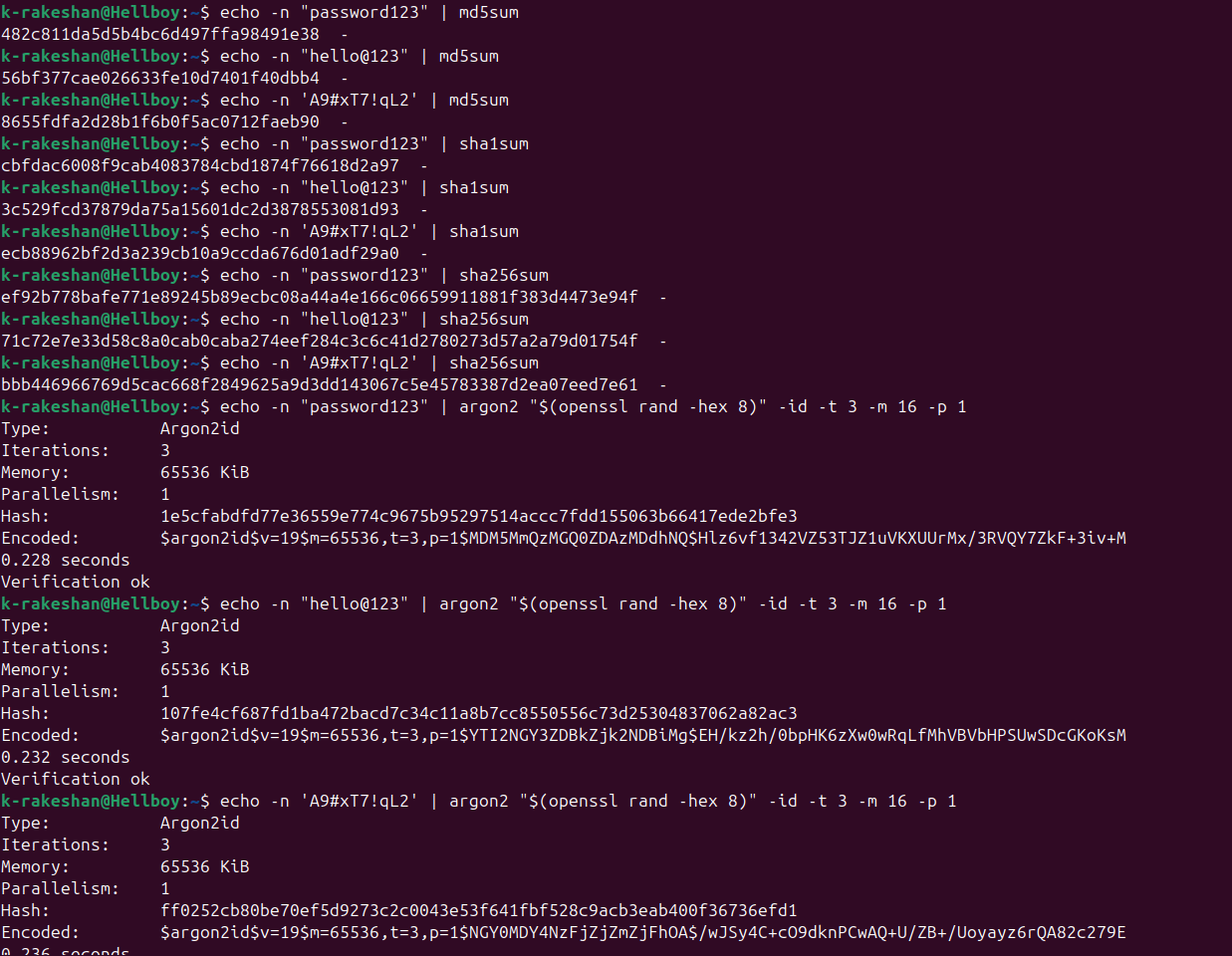
Generating sample hashes for the controlled test.
My testing setup
I used two common security tools in separate lab environments:
- John the Ripper on Kali Linux
- Hashcat on Ubuntu, and later with an NVIDIA RTX 3050 Laptop GPU
I tried three types of password-auditing tests:
- A dictionary test, which checks common passwords from a word list
- A rule-based test, which tries small changes to those common passwords
- A brute-force test, which tries many possible character combinations
The dictionary test was the most useful for weak passwords. This makes sense: many people still use passwords that are already in popular word lists, or only make small changes like adding numbers.
What the results showed
The difference between old hashes and password-focused hashes was very clear.
| Hash type | What I observed |
|---|---|
| MD5 and SHA1 | Very fast to test and easy to recover when the password was weak. |
| SHA256 | Better than MD5 and SHA1, but still not designed to protect passwords by itself. |
| bcrypt | Much slower to test, which makes password guessing harder. |
| Argon2 | The hardest to test in my experiments and a strong modern choice for password storage. |
This Argon2 result from John the Ripper shows that even a dictionary test runs much more slowly than it does with older, fast hashes.
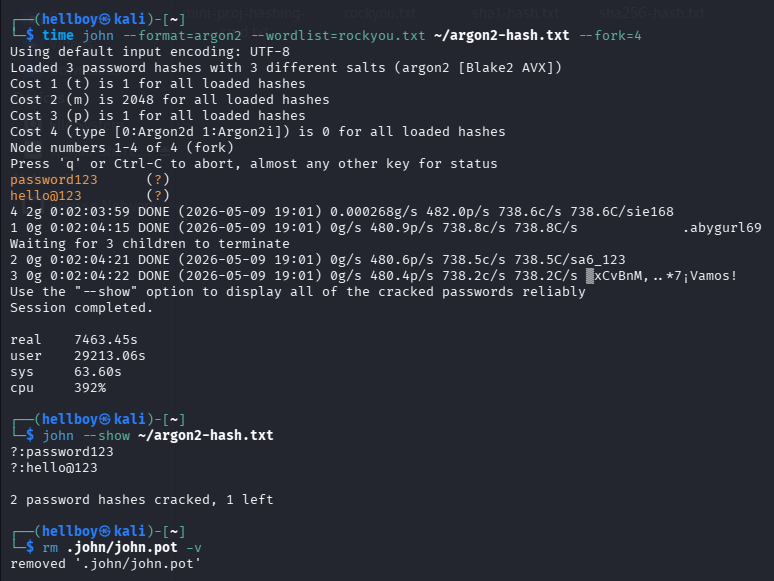
An Argon2 dictionary test in the Kali Linux lab.
CPU and GPU made a big difference
Hashcat can use hardware acceleration. In my GPU test, the NVIDIA RTX 3050 Laptop GPU made fast hashes such as MD5, SHA1, and SHA256 much quicker to test. However, bcrypt and Argon2 still stayed slow because they are intentionally designed to use more time and, in the case of Argon2, more memory.
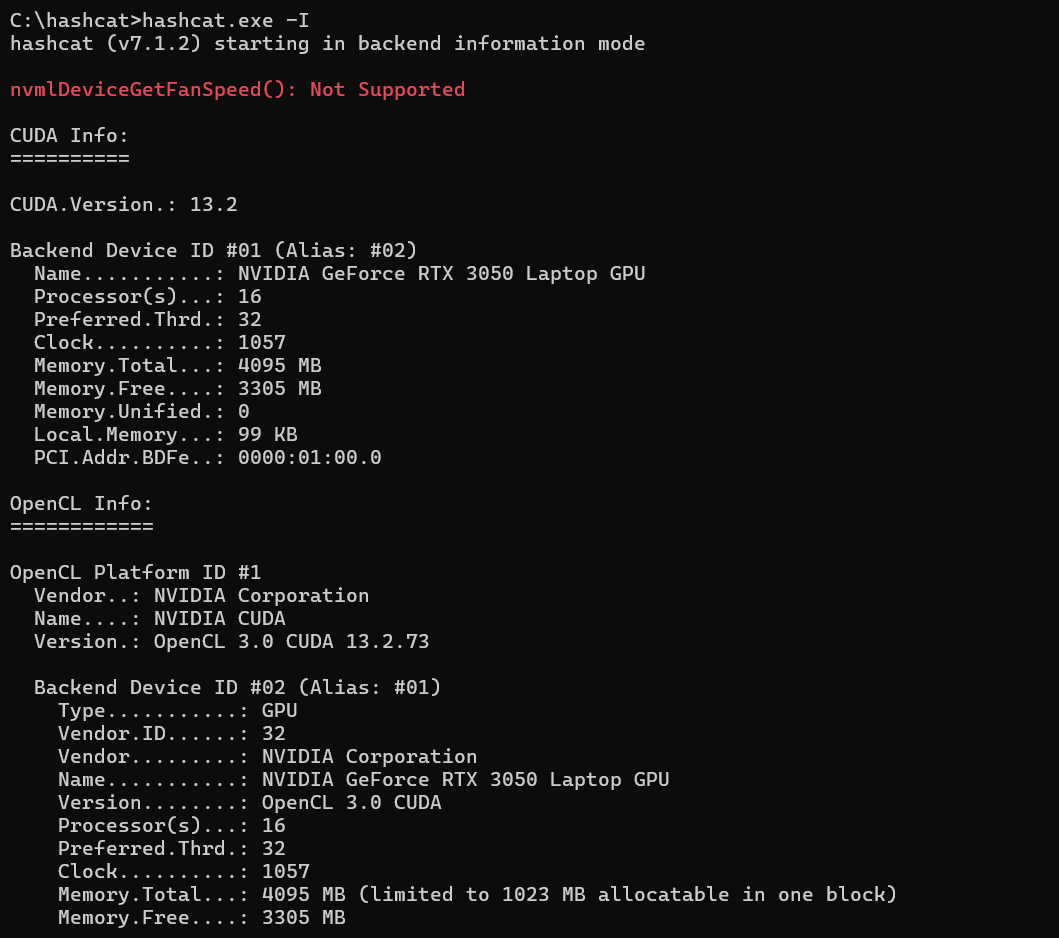
The GPU environment used for the Hashcat tests.
The main lesson is that a faster computer makes weak protection even weaker. It does not mean that every password can be guessed quickly. Long, unique passwords and modern password hashing still make a huge difference.
John the Ripper vs Hashcat
Both tools were useful for learning. I found John the Ripper easier to start with in the Kali Linux environment. Hashcat was more powerful when I could use GPU acceleration, especially for fast hash types.
But the tool was not the most important part of the project. The real issue was the combination of a weak password and a fast hash algorithm. A common password can be risky even if the system does not store it as plain text.
My main takeaways
- Do not use MD5 or SHA1 for password storage.
- SHA256 alone is not the best choice for storing passwords because it is designed to be fast.
- Use a modern password-hashing algorithm such as Argon2 or bcrypt.
- Use a long and unique password. A password manager can make this much easier.
- Enable multi-factor authentication when it is available.
- Test security work only on systems, accounts, and data you are allowed to use.
This project made password security feel much more practical to me. The theory is important, but seeing how quickly a weak password can be recovered is a strong reminder to use modern protection from the beginning.